The shop assistant that knows your catalogue
An AI chatbot for WooCommerce. It answers product and order questions from your own shop data, wins back abandoned carts, and passes the conversation to your team when a person is needed.
- Free version, no card
- Your own AI key, no markup
- Data stays in WordPress
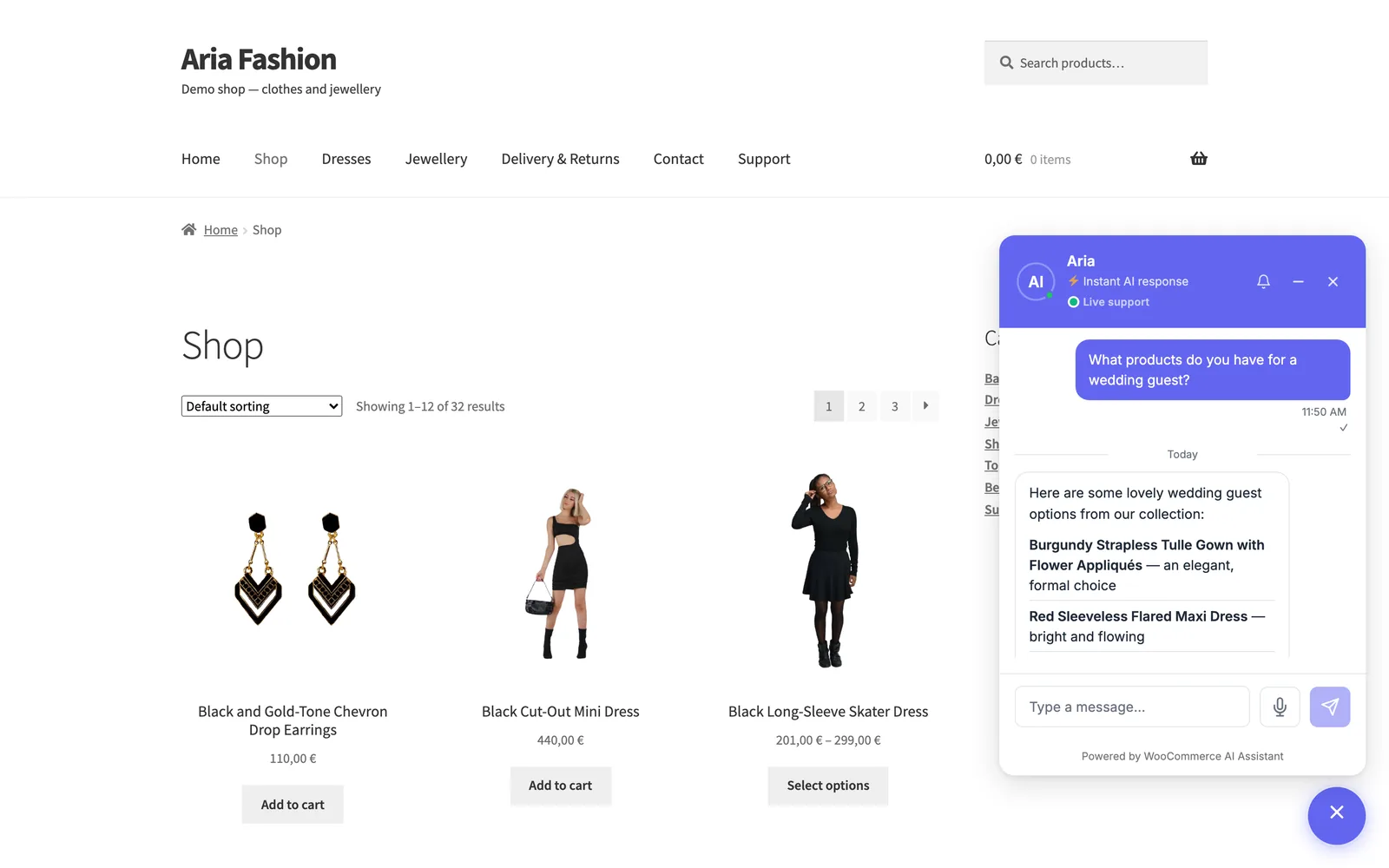
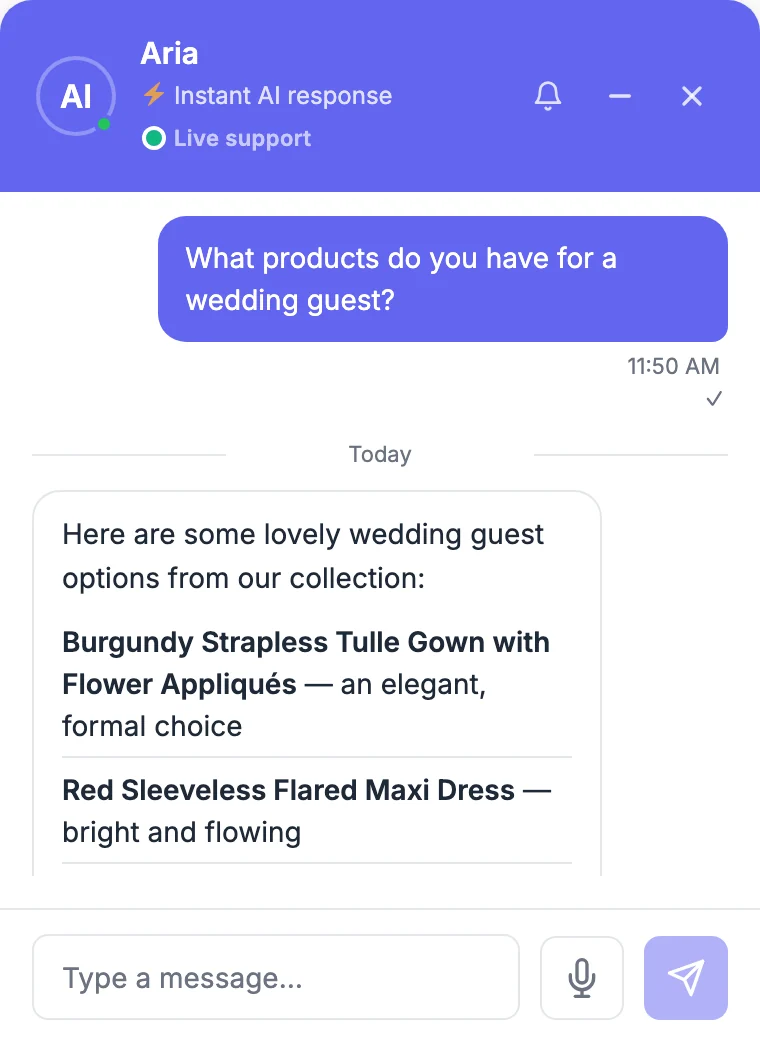
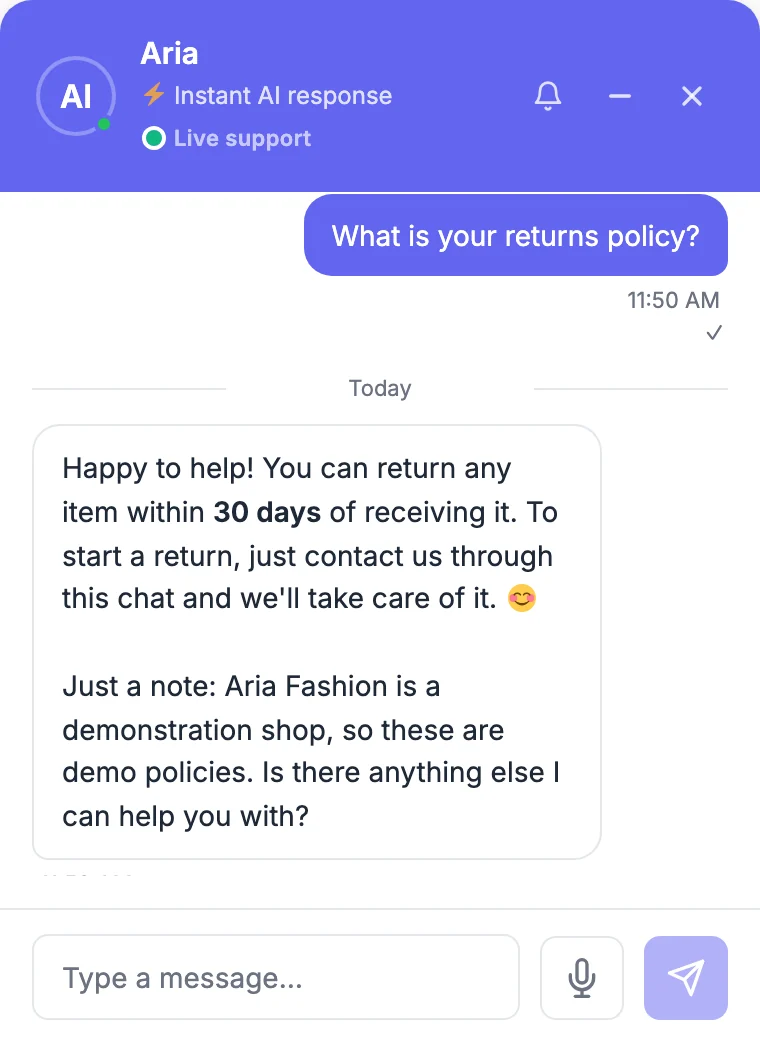
A real answer from the plugin, on our demo shop
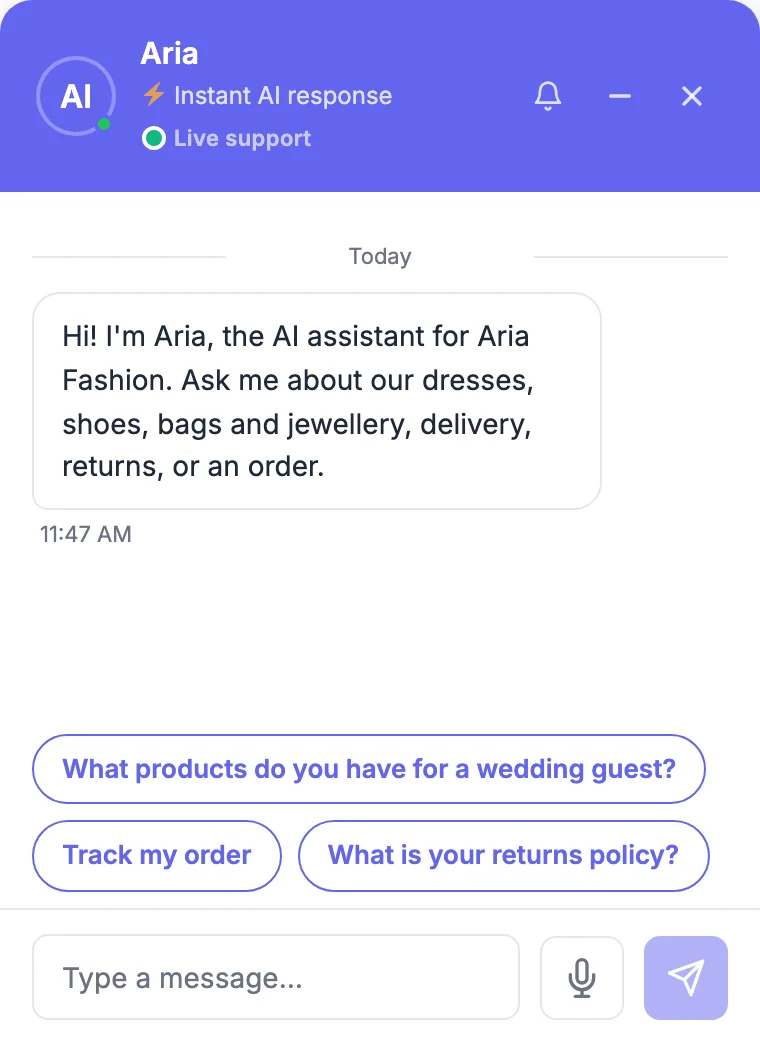
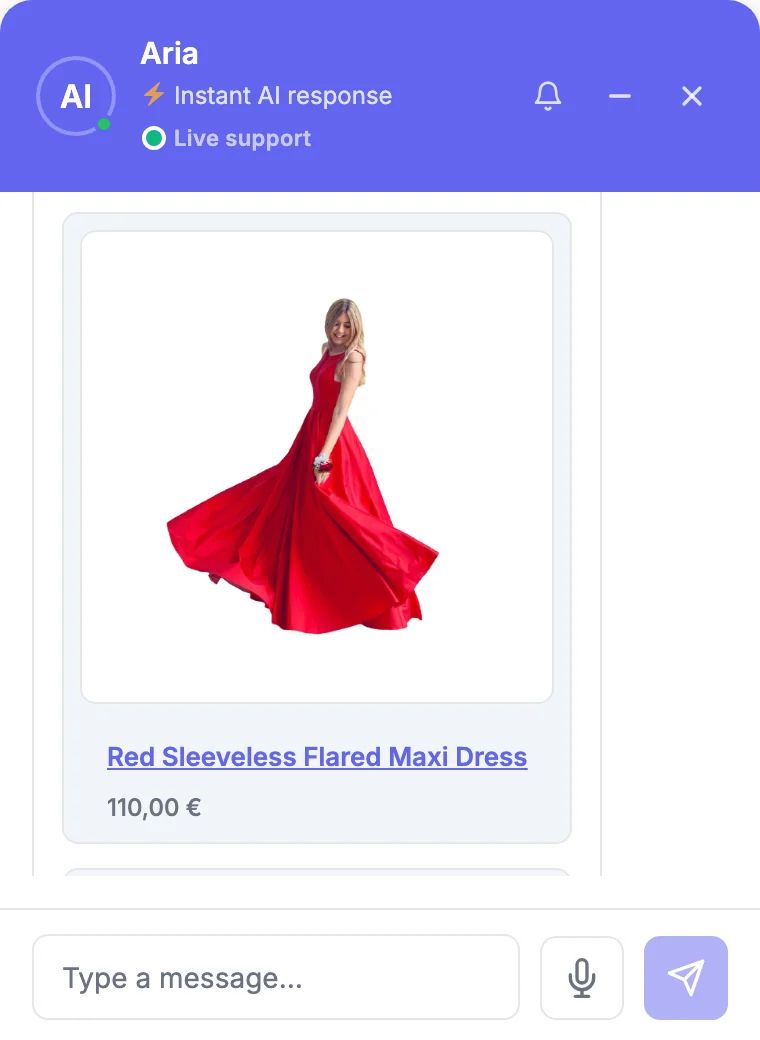
One real conversation, on our demo shop
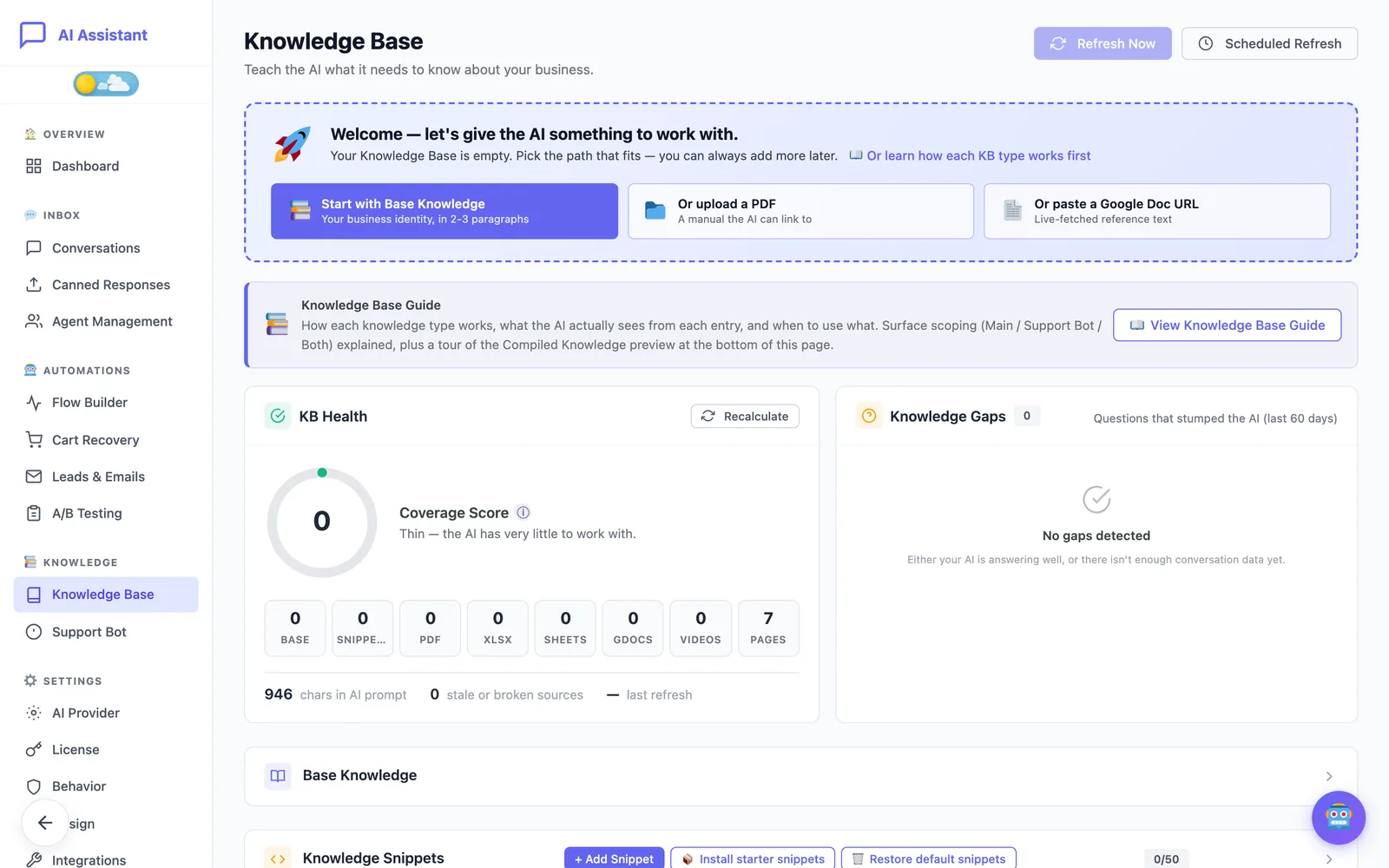
These three screens were captured on Aria Fashion, the demonstration shop we run the plugin on. Nothing was scripted: the products and prices come from its catalogue, and the returns answer from its knowledge base.
What it does for your shop
Six things come with the free plugin. Pro adds the tools that recover sales and save your team’s time.
Free features
Included in the free plugin, for as long as you like.
Knows your catalogue
The assistant reads your WooCommerce products: names, prices, stock and images. It answers with product cards and points shoppers to the right item.
Order tracking in the chat
Customers check an order's status and tracking without leaving the conversation. Guests are verified by e-mail, so no account is needed.
Your own knowledge base
Write snippets and add a document about delivery, returns, warranty or sizing. The assistant answers from your rules instead of guessing.
Your AI key, your bill
Connect your own OpenAI key. You pay the provider directly at their price; nothing is added on top.
Step in yourself
Open any conversation in the admin and take it over from the assistant, with a few canned responses for the answers you give most often.
Private by default
Conversations stay in your WordPress database. IP addresses are hashed, retention is configurable, and WordPress export and erase tools are supported.
Pro features
Added by the Pro subscription, on top of everything in Free.
Cart recovery
Exit intent, idle time and cart activity open the chat at the right moment with a message that mentions what is in the basket.
Smart discount engine
When a shopper hesitates on price, the assistant can escalate from free shipping to 5% and then 10%, with single-use coupons and a cap you set.
Tools for a support team
Several agents with work schedules and round-robin routing, as many canned responses as you need, and reply-later for questions that take time.
Visual flow builder
Drag-and-drop conversation flows with questions, conditions, file uploads read by AI vision, API calls and eight starter templates.
A/B testing
Test welcome messages, prompts, tones and triggers. Significance and sample-size planning are built in, so a winner is a real winner.
Analytics and attribution
Daily trends, hourly heatmaps, recovery funnels and the orders that followed a conversation.
Nine AI providers with fallback
OpenAI, Anthropic, Google, DeepSeek, Mistral, Meta Llama, xAI, Alibaba Qwen or a custom endpoint, with a second provider that takes over if the first fails.
A much larger knowledge base
Many more snippets and documents, plus your pages and posts synced into the knowledge base and kept current when you edit them.
Product recommendations
Suggestions drawn from purchase history, items often bought together in your real orders, and WooCommerce cross-sells.
Post-purchase e-mails
Review requests and cross-sell e-mails go out on the delay you choose after an order, with one-click unsubscribe.
Conversation insights
Alerts when frustration rises or a new topic appears, plus two-sentence summaries so an agent grasps a thread at a glance.
Webhooks and digests
Signed JSON events for Zapier, Make or your CRM, and a daily or weekly performance digest in your inbox.
Voice input
Shoppers can dictate a message with their browser's speech recognition instead of typing it.
Running in three steps
No code and no developer. The chat appears on your shop as soon as the key is tested.
Install and activate
Upload the plugin in WordPress like any other and activate it.
Connect your AI provider
Paste your own API key and press Test connection. You pay the provider directly.
Tell it about your shop
Add your delivery, returns and warranty rules, pick your colours, and watch the dashboard.
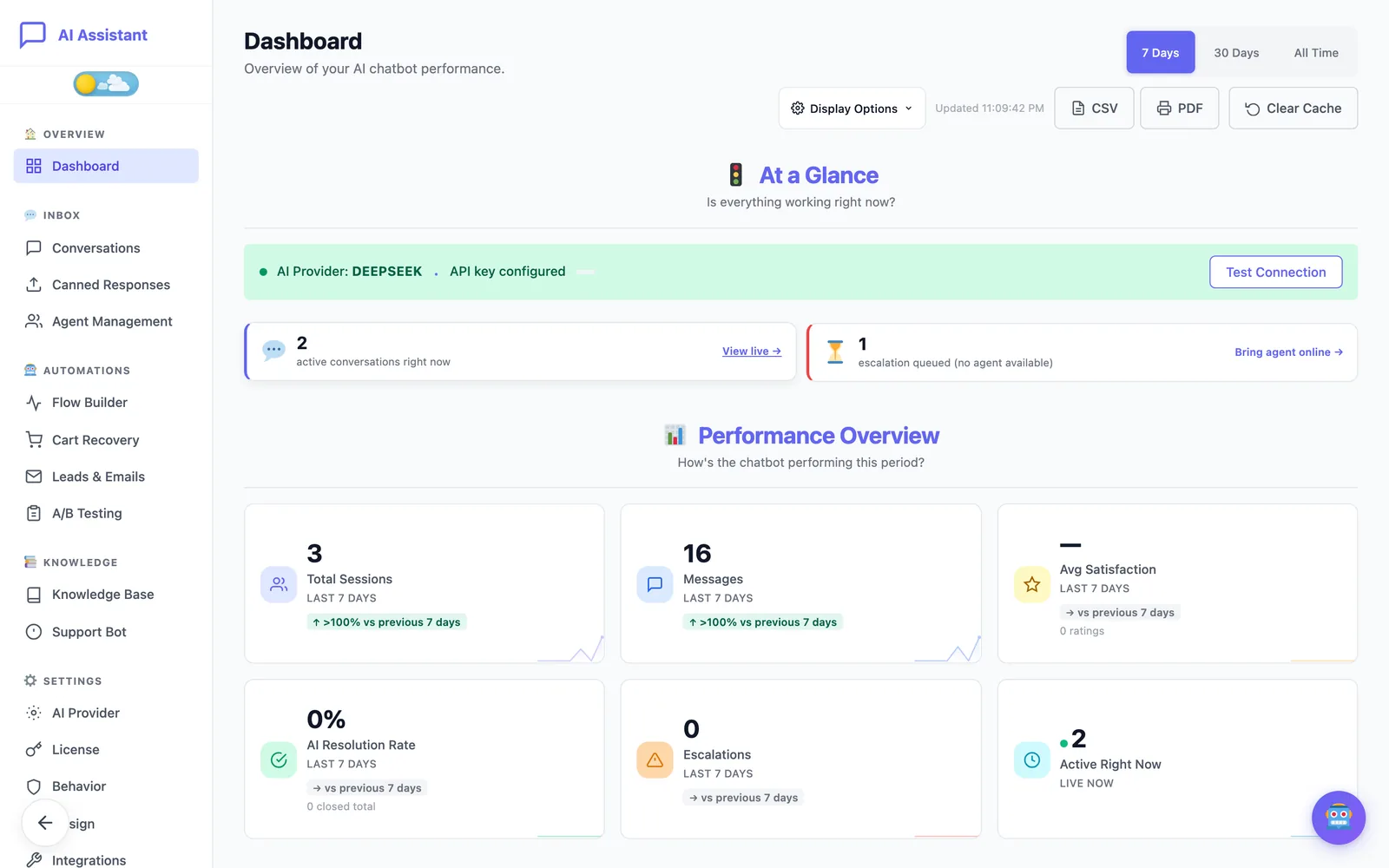
Speak up before the shopper leaves
- Exit intent, idle time and cart activity as triggers
- Messages that mention what is in the basket
- A cooldown and a per-visit limit so nobody is pestered
- Triggers fired, engagement and recovered sales in one view
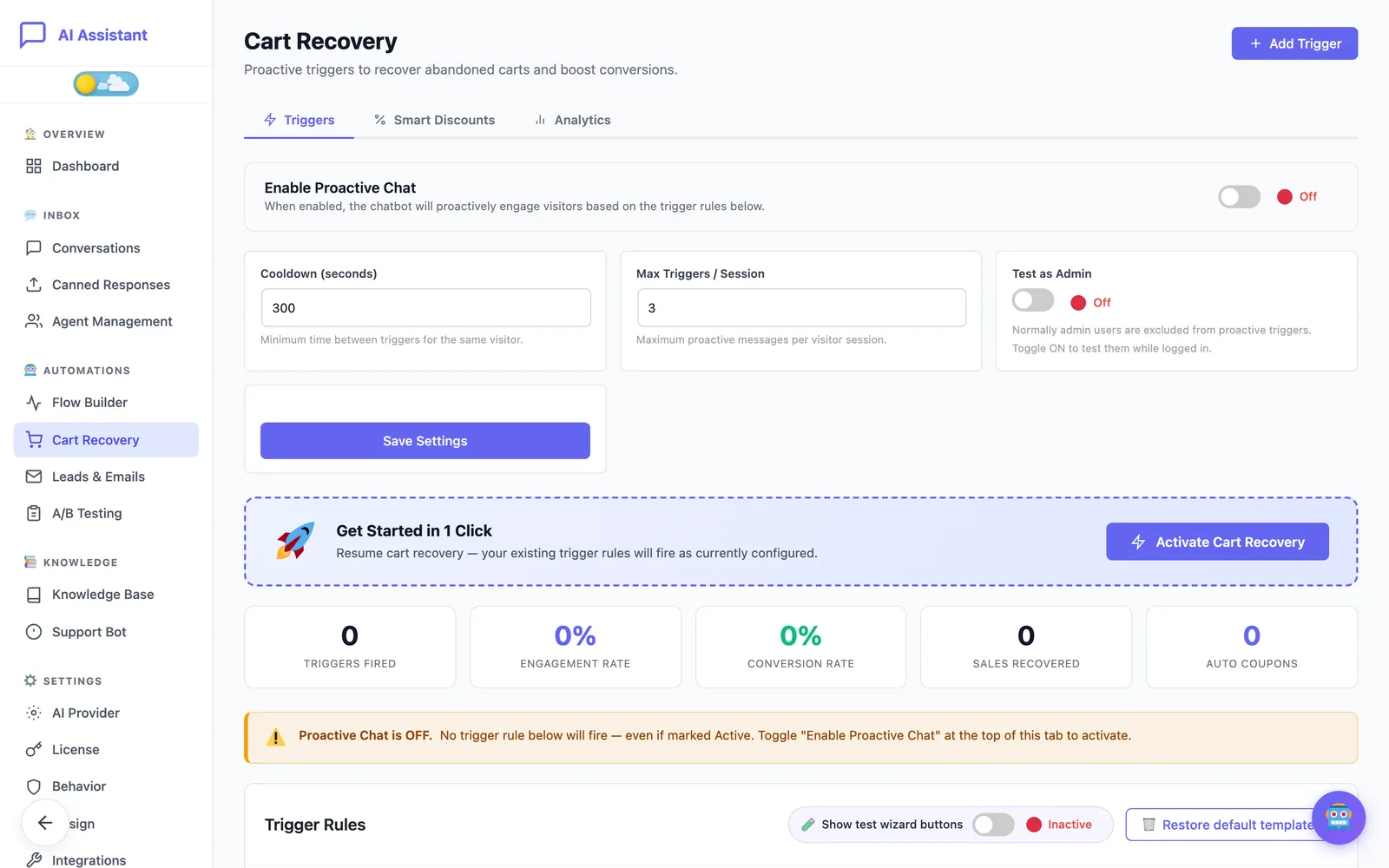
Teach it your shop in an afternoon
- Start with a few paragraphs about your business
- Add snippets, documents and Google Docs
- A coverage score shows what is still thin
- Knowledge gaps list the questions it could not answer
It looks like your shop, not like ours
- Six presets and full colour control
- Light, dark and system themes
- Bottom right, bottom left or a custom position
- A live preview before you publish
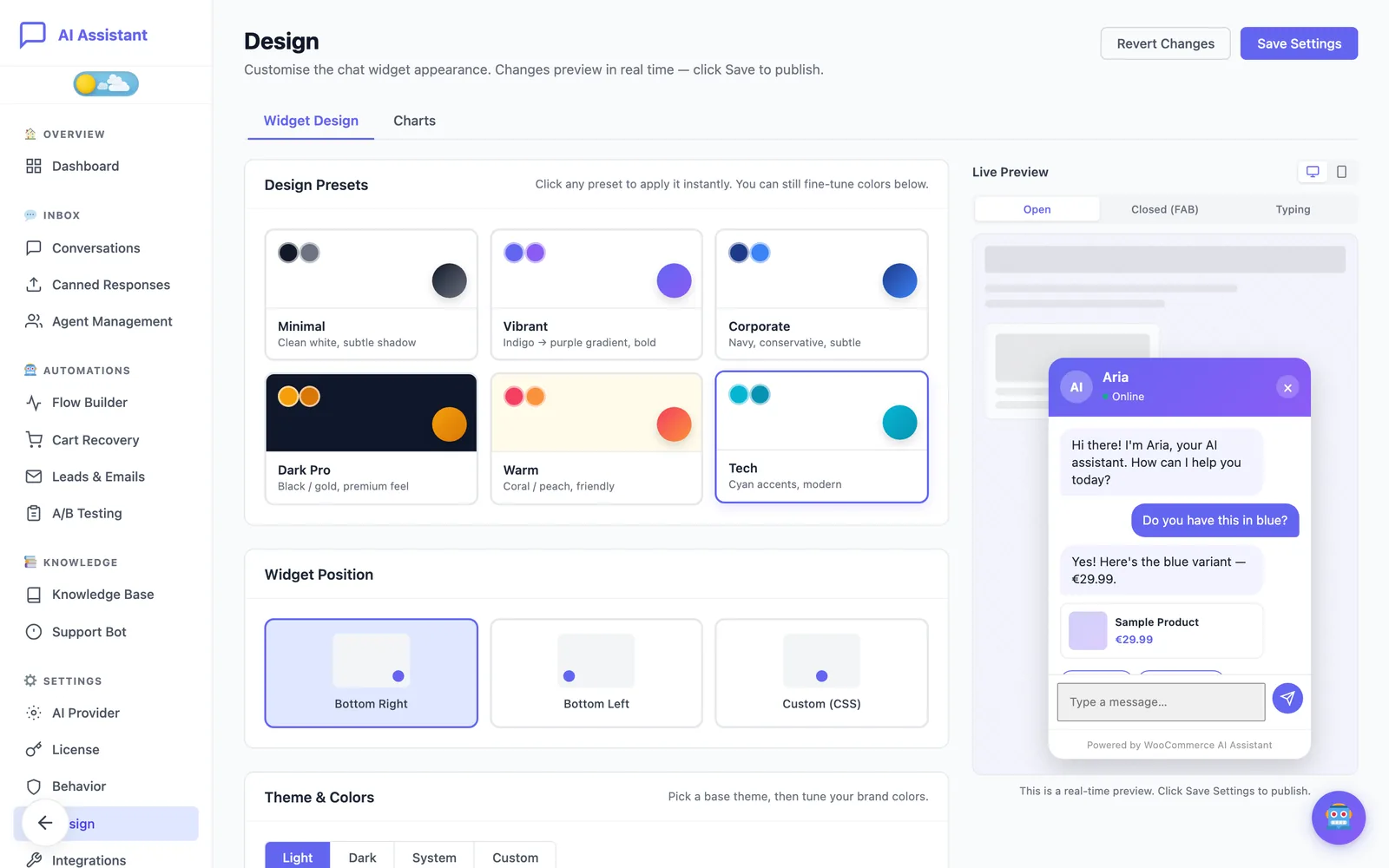
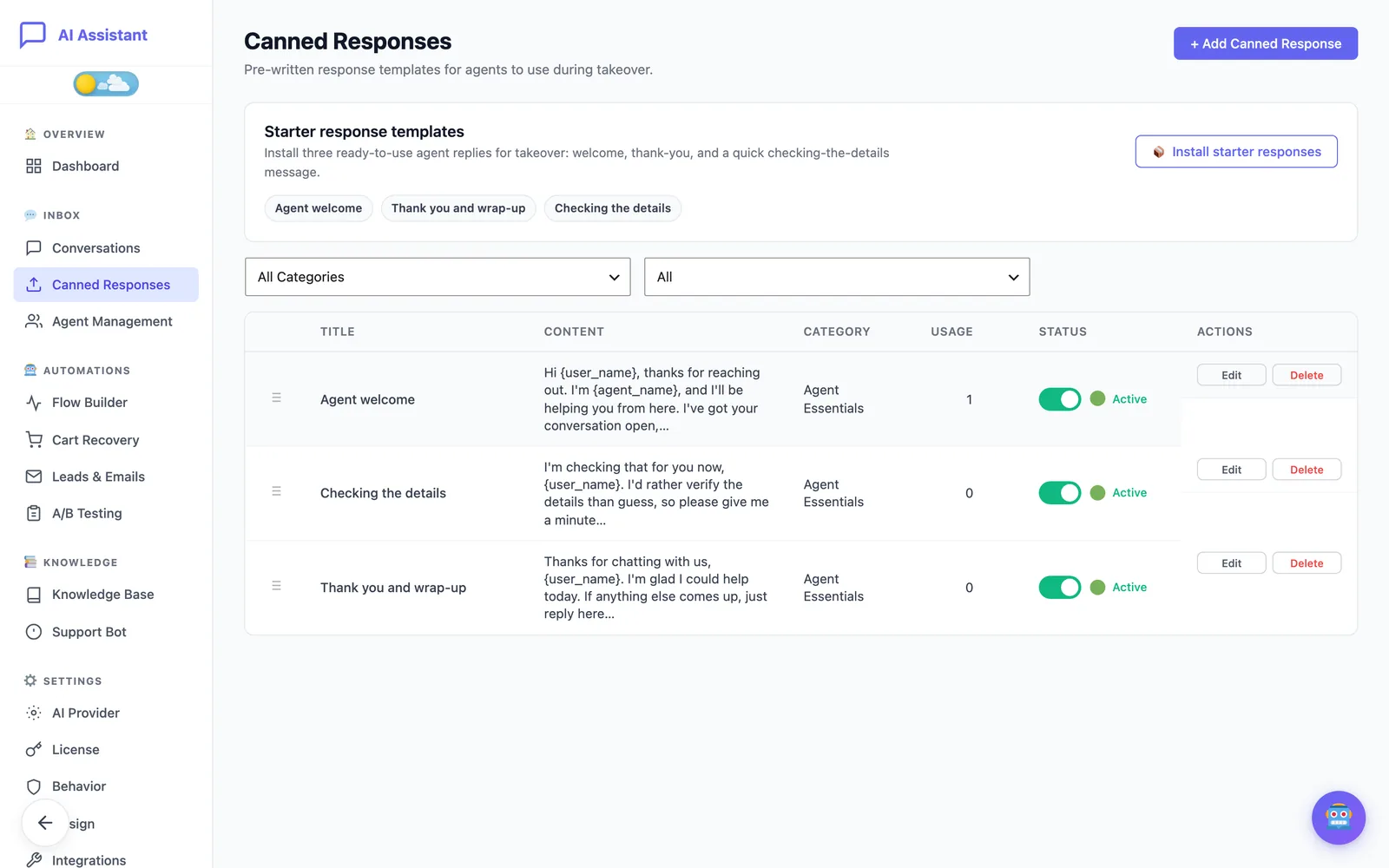
Your team answers faster too
- Take over a conversation from the assistant, then hand it back
- Canned responses with the customer's name filled in
- Work schedules and round-robin routing
- A two-sentence summary instead of a long backscroll
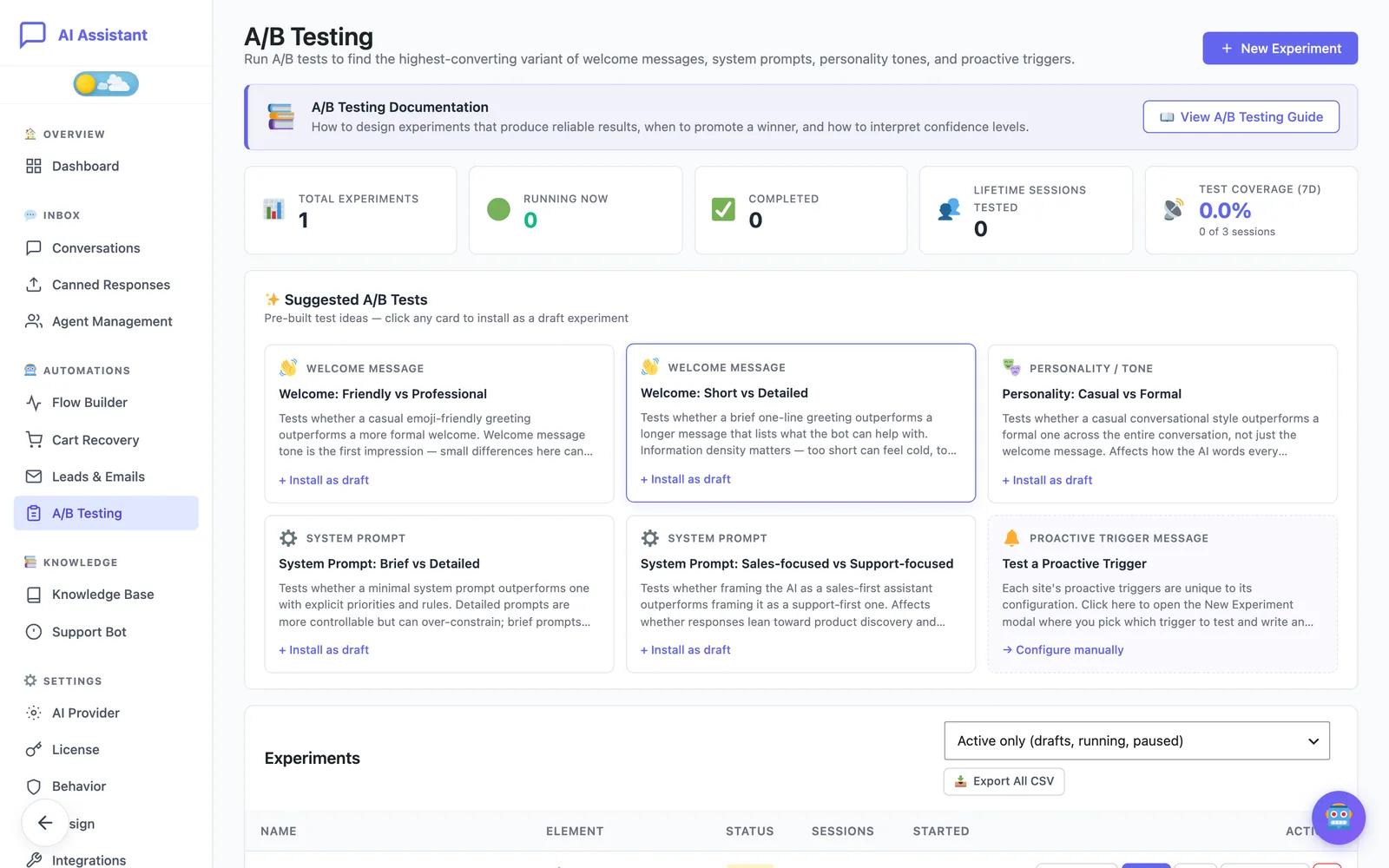
Find out which welcome message sells
- Ready-made experiments to install as drafts
- Welcome messages, prompts, tones and triggers
- Significance is calculated for you
- Export every result as CSV
Nine AI providers, one switch
Use the model you trust and change it when a better one comes out. With Pro, a second provider takes over if the first one is down.
Free to start, Pro when it pays for itself
Pro is a yearly subscription with an activation key. If it ever lapses, the plugin goes back to Free and nothing you built is lost.
Free
Freeforever
A working assistant for your shop
- Chat widget on every page
- OpenAI with your own API key
- Knowledge base: 5 snippets, 5 site pages, 1 document of each type
- Product answers and order lookup
- Take over a conversation yourself
- No limit on conversations
- GDPR tools and IP hashing
No card, no trial period
Pro
€149per site, per year
For shops that want the chat to sell
- Everything in Free, plus:
- Cart recovery and proactive triggers
- Smart discount engine with a margin cap
- Unlimited conversations
- Agent team, schedules, unlimited canned responses
- Visual flow builder with 8 templates
- A/B testing and analytics
- Nine AI providers with automatic fallback
- Larger knowledge base with site content sync
- Webhooks, Zapier and post-purchase e-mails
- Updates and priority support
Price excluding VAT. One site per key. 30-day money-back guarantee.
Three things we will not compromise on
Your customers’ data is yours
Conversations are stored in your WordPress database. There is no tracking by us and nothing is sold or shared.
You own the AI account
Your key, your provider, your invoice. Switch model or provider whenever you want.
Made for WooCommerce
Real coupons, real stock, real orders, including guest order lookup. It is built around your shop, not bolted onto it.
Questions shop owners ask
What is the difference between Free and Pro?
How does the Pro subscription work?
What happens if a payment fails or I cancel?
Do I pay for AI usage on top of the plugin?
Do I need WooCommerce?
Which AI provider should I choose?
Is it GDPR compliant?
Can I move my licence to another site?
Can I get a refund?
Put it on your shop today
Start with the free plugin. If you get stuck, a person on our team answers.